Analyze documentation searches
Review documentation search analytics to track query volume, spot searches returning no results, and improve result click-through rates.
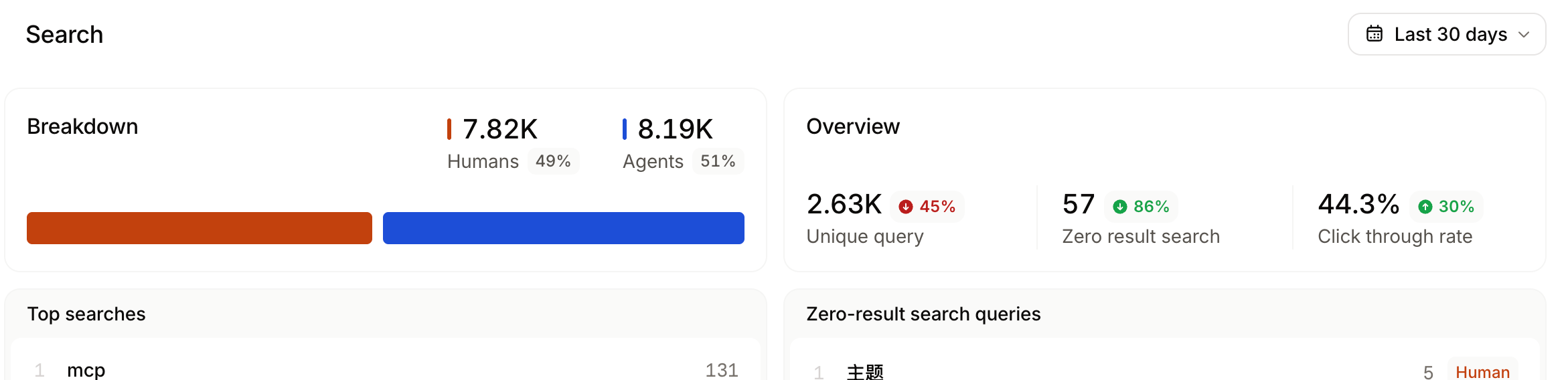
The Search view of the analytics page displays search volume, queries with no results, and click-through rates.
Review search analytics to:
- Monitor search trends: Observe changes in search queries to understand how users find your content and which topics they want information about.
- Identify frequent queries: Use frequent queries to understand which topics are most important to users. Identify gaps in coverage and prioritize content updates.
- Identify low click-through rates: Click-through rates (CTR) show how many users click a search result after typing a query. A low CTR can indicate that the search results are not relevant to users' queries. For frequent search terms with a low CTR, improve the relevance of search results by adding keywords or updating your content.
CTR counts a search as clicked only when a user selects a specific result, either with the pointer or by activating a highlighted result with the keyboard. If a user asks the AI assistant instead of clicking a result, that search is not counted as a click.